 seolounge

Introduction
Many businesses launch a website and start running SEO or Google Ads campaigns without properly tracking what visitors are doing on the website. As a result, they spend money on marketing but struggle to understand which campaigns are actually generating leads, sales, or inquiries.
This is where Google Analytics 4 (GA4) becomes important.
GA4 is Google’s latest analytics platform that helps businesses understand user behavior across websites and apps. It provides detailed insights into traffic sources, customer journeys, conversions, engagement, and marketing performance.
In 2026, businesses that properly use GA4 can make smarter marketing decisions, improve their ROI, and grow faster online.
In this guide, we will explain:
- What GA4 is
- Why GA4 matters for businesses
- Key features of GA4
- How to set up GA4 correctly
- Common GA4 mistakes to avoid
- How GA4 helps SEO and digital marketing
What is Google Analytics 4 (GA4)?
Google Analytics 4 is the newest version of Google Analytics, designed to track website and app activity in a smarter and more advanced way.
Unlike older analytics systems that mainly focused on sessions and page views, GA4 focuses more on user behavior and events.
This means businesses can better understand:
- Which pages users visit
- How users interact with content
- Which marketing channels generate leads
- What actions users take before conversion
- Which campaigns deliver the highest ROI
GA4 uses AI-powered insights and event-based tracking to provide more accurate and useful data.
Why GA4 is Important for Businesses in 2026
Digital marketing has become more data-driven than ever before. Without proper tracking, businesses cannot measure their marketing performance effectively.
Here’s why GA4 is essential:
1. Better User Tracking
GA4 tracks user interactions more accurately across devices and platforms.
For example:
- A user may first visit your website through Instagram
- Later return through Google Search
- Finally, contact you through a form
GA4 helps businesses understand this entire customer journey.
2. Improved Conversion Tracking
GA4 allows businesses to track important actions such as:
- Form submissions
- Phone calls
- Button clicks
- Purchases
- Downloads
- Newsletter signups
This helps businesses understand which marketing activities are generating actual results.
3. AI-Based Insights
One of the biggest advantages of GA4 is its AI-powered predictive insights.
It can help identify:
- Potential buyers
- User behavior trends
- Traffic changes
- Conversion opportunities
This allows marketers to optimize campaigns more efficiently.
4. Better Privacy Compliance
With growing concerns about online privacy and cookie restrictions, GA4 is designed to work better in a privacy-focused internet environment.
This makes it more future-proof than older analytics systems.
Key Features of GA4
Event-Based Tracking
GA4 tracks every interaction as an event.
Examples include:
- Scroll tracking
- Video views
- Link clicks
- Downloads
- Page views
- Purchases
This provides deeper insights into user behavior.
Cross-Platform Tracking
Businesses with websites and mobile apps can track users across both platforms from one dashboard.
Enhanced Reporting
GA4 offers advanced reporting features, including:
- Traffic acquisition reports
- User engagement reports
- Conversion reports
- Audience insights
- Retention analysis
These reports help businesses improve their digital marketing strategy.
Integration with Google Ads
GA4 integrates directly with Google Ads.
This helps businesses:
- Track ad performance
- Measure conversions
- Optimize campaigns
- Improve targeting
- Reduce wasted ad spend
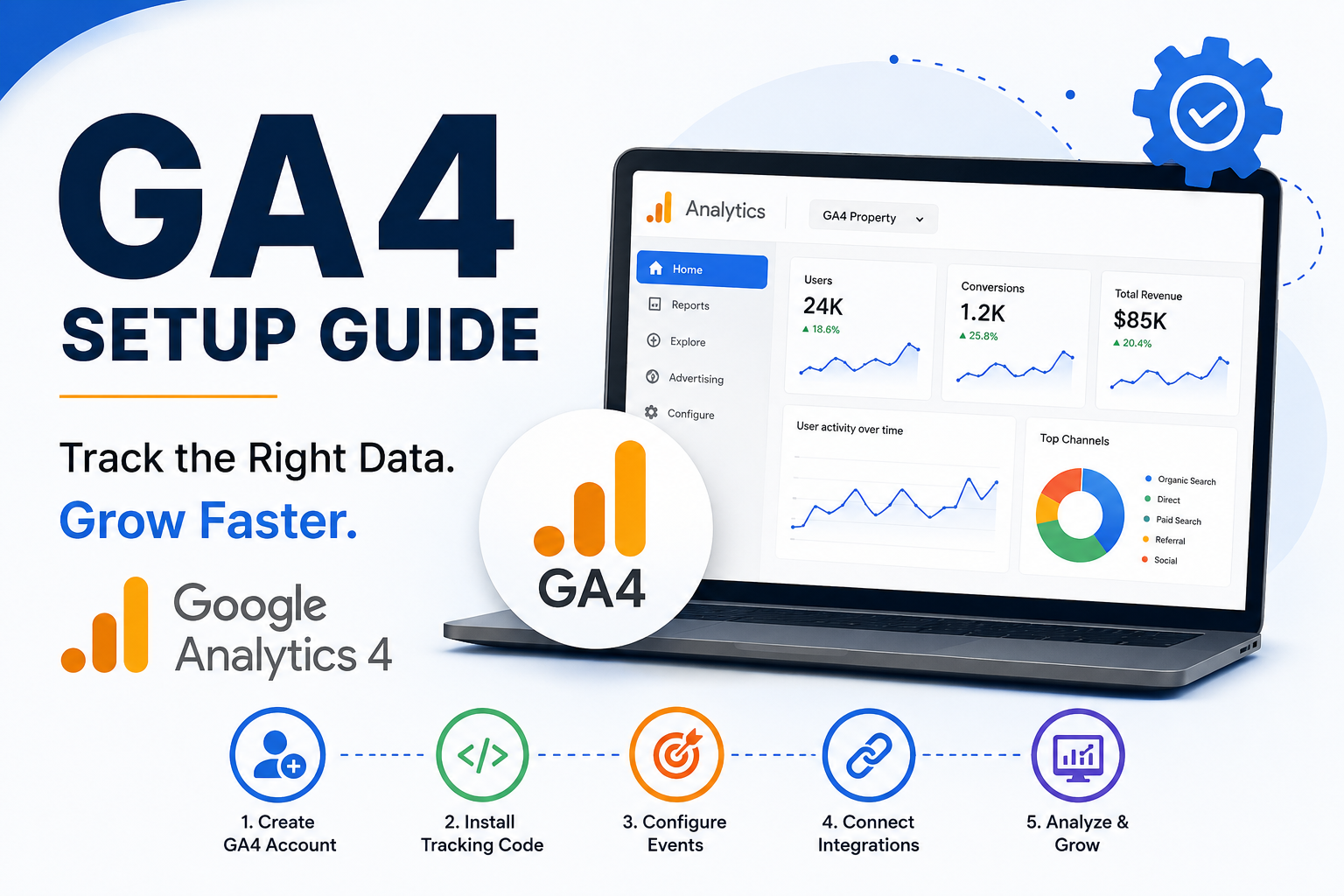
How to Set Up GA4 Properly
Step 1: Create a Google Analytics Account
Visit Google Analytics and create an account for your business.
Add:
- Account name
- Property name
- Website URL
- Business category
Step 2: Create a GA4 Property
After creating your account:
- Select “Create Property”
- Choose GA4 property
- Configure your timezone and currency
Step 3: Install GA4 Tracking Code
You can install GA4 using:
- Google Tag Manager
- WordPress plugins
- Direct code installation
Google Tag Manager is usually the easiest and most flexible option.
Step 4: Configure Important Events
Set up important conversion events such as:
- Contact form submissions
- WhatsApp clicks
- Phone call clicks
- Lead generation forms
- Purchases
Proper event setup is critical for accurate tracking.
Step 5: Connect Google Ads and Search Console
Integrating GA4 with:
- Google Ads
- Google Search Console
helps businesses get complete visibility into both paid and organic traffic performance.
Common GA4 Mistakes Businesses Should Avoid
Ignoring Conversion Setup
Many businesses install GA4 but never configure conversion tracking.
Without conversions, analytics data becomes incomplete.
Not Filtering Internal Traffic
Your own visits can affect analytics data.
Businesses should exclude:
- Office IP addresses
- Internal testing traffic
- Developer visits
This improves reporting accuracy.
Not Using Google Tag Manager
Managing tracking manually can become difficult.
Google Tag Manager simplifies:
- Event setup
- Pixel installation
- Tracking management
- Marketing integrations
Ignoring Reports Regularly
Analytics only becomes useful when businesses actively monitor reports and optimize based on data.
Checking reports monthly helps improve:
- SEO performance
- Ad campaigns
- Website engagement
- Lead generation
How GA4 Helps SEO
GA4 plays a major role in SEO optimization.
It helps businesses analyze:
- Organic traffic growth
- Top-performing pages
- Bounce rates
- User engagement
- Session duration
- Conversion rates
SEO experts can use this data to improve content strategy and ranking performance.
For example:
If a blog receives traffic but users leave quickly, businesses can improve:
- Content quality
- Internal linking
- Page speed
- User experience
This helps improve rankings and engagement.
How GA4 Improves Digital Marketing ROI
One of the biggest benefits of GA4 is improved marketing ROI.
Businesses can identify:
- Which campaigns generate leads
- Which channels perform best
- Which audience segments convert more
- Which pages drive revenue
This allows marketers to invest their budget more effectively.
Instead of guessing, businesses can make data-driven decisions.
Why Businesses Should Use Professional GA4 Setup Services
Although GA4 setup may look simple, proper implementation requires technical knowledge.
An incorrect setup can lead to:
- Missing data
- Wrong conversion tracking
- Duplicate events
- Inaccurate reporting
Professional digital marketing agencies help businesses:
- Configure GA4 properly
- Set up conversion tracking
- Integrate Google Ads
- Create custom reports
- Improve analytics accuracy
This ensures businesses make decisions based on reliable data.
Final Thoughts
In 2026, data is one of the most valuable assets for any business.
Without proper analytics tracking, businesses risk wasting marketing budget and missing growth opportunities.
Google Analytics 4 helps businesses understand their audience, improve marketing performance, and increase conversions through smarter insights.
Whether you run SEO campaigns, Google Ads, social media marketing, or content marketing, GA4 provides the data needed to grow strategically.
If your business has not yet implemented GA4 correctly, now is the perfect time to start.
Need Help Setting Up GA4 for Your Business?
AtCronico Digital, we help businesses implement advanced GA4 tracking, conversion setup, SEO analytics, and digital marketing strategies that drive measurable growth.
Our team ensures your analytics system tracks the right data so you can make smarter marketing decisions and maximize ROI.
Contact Cronico Digital today to optimize your analytics and grow your business online.
